![applauz_logo.svg]](https://www.applauz.me/hubfs/applauz_logo.svg)
Who can use this: everyone. A few sections only appear if you manage a team. They are marked Managers below.
Start With Your Daily Snapshot
The top of the page greets you by name and sums up your recognition life at a glance:
- How many people you recognized this week
- Your streak, if you have one going
- Recognitions this year and the points you have to treat yourself
On the right, For You Today lists what is new for you: recognitions you received, reactions and comments on your posts, a pulse survey that is ready, or gift vouchers waiting to be redeemed. Click any item to open it.
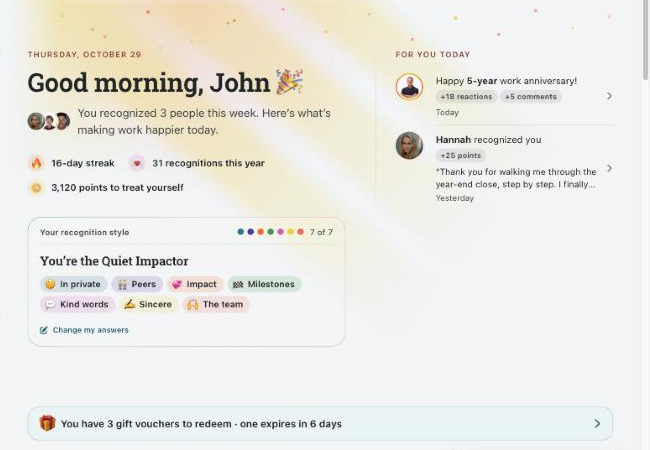
Your daily snapshot and the For You Today column.
|
💡 Quiet day? If nothing new came in, For You Today shows Make someone’s day, which takes you to the Newsfeed to post a recognition. |
Discover Your Recognition Style
The Your recognition style card shows how you like to be recognized, across seven traits: how public, what for, with what, and for whom. Each answered trait appears as a tag, such as In private, Peers or Kind words. Complete all seven and you get your style name, for example You’re the Quiet Impactor.
To get started, click Start answering. It takes you to the question in Memory Lane further down the page. Pick the answer that feels most like you. To update your answers later, click Change my answers.
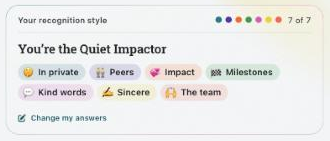
A completed recognition style, with all seven traits.
|
💡 Why it matters: your colleagues see your recognition style when they recognize you, so they can thank you the way you actually like. |
Get to Know the People You Work With
Your colleagues shows the people you work with most, with a little badge for anyone celebrating: a work anniversary today, a birthday today, someone who just joined, or a colleague on a streak.
Use the toggle to switch views:
- Faces: photos of your colleagues and what is happening for them today
- Recognition styles: your colleagues grouped by how they like to be recognized, such as In private, With the team, Points and gifts or Kind words
Click All colleagues to open the directory. Search by name, email or job title, and switch between Peers, Direct reports and Everyone. Click a person to see their recognition style, manager, hire date and birthday, then click Recognize [name] to write them a recognition.
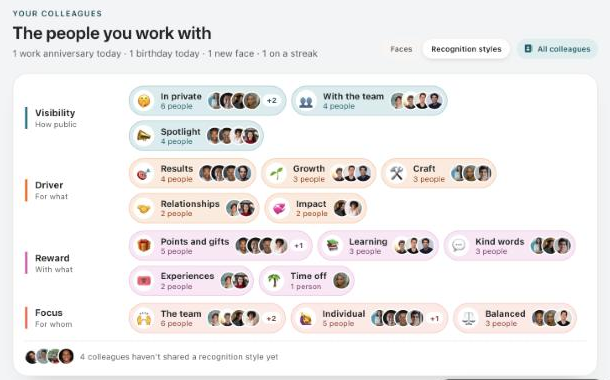
Switch to Recognition styles to see how each colleague likes to be recognized.
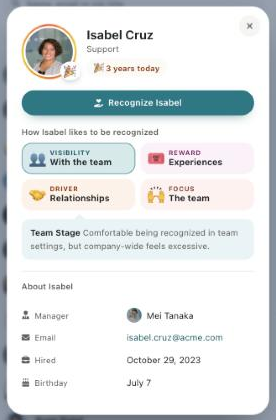
A colleague card shows how that person likes to be recognized.
Take a Trip Down Memory Lane
Memory Lane brings back a recognition from your past, like a recognition a teammate sent you a year ago today. Next to it, you will see either a recognition style question to answer, or a few colleagues who have not been recognized in a while, with a Recognize button under each one.
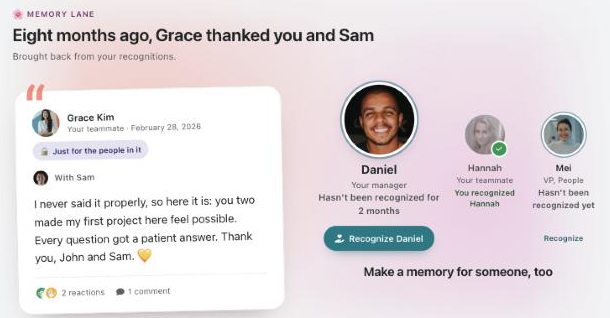
Memory Lane resurfaces a past recognition and suggests who to recognize next.
Choose Who to Make Happy Today
This section helps you act right away. Your points left to give are shown at the top, and you can page through the cards with the arrows.
Everyone sees recent recognitions from colleagues. Join in by clicking +25 to add points, or Add a badge to add one badge.
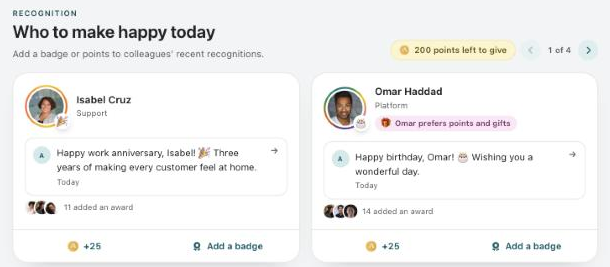
Add points or a badge to a colleague’s recent recognition.
Managers also see Your team this month, with how many of your direct reports have been recognized so far. Click Recognize [name] on a card, or Recognize everyone at once to write one recognition for every team member still waiting. Cards show each person’s recognition preference when they have shared one, such as Prefers recognition in private.
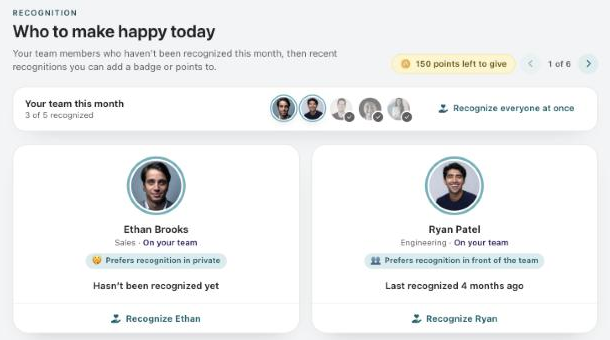
Managers see who on their team is still waiting for a recognition this month.
|
⚠️ Important: points you add with +25 come out of your points to give. Check you have the right person before you click. |
Never Miss a Celebration
Upcoming celebrations lists this week’s birthdays and work anniversaries, day by day. Click See all [number] this week to view the full list.
Recent moments shows the latest photos and videos your colleagues shared. Click Share a photo to post one of your own on the Newsfeed.
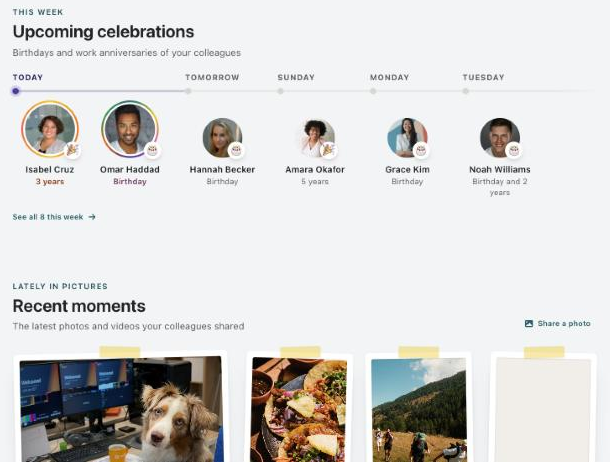
This week’s celebrations and the latest photos from your colleagues.
Frequently Asked QuestionsWho can see my recognition style?
Once you have answered all the questions, your colleagues see your style when they recognize you, so they can do it the way you prefer. You can change your answers at any time with Change my answers.
Why don’t I see “Your team this month”?
That part only appears if you have direct reports. Everyone else sees recent recognitions they can add points or a badge to.